Visual Studio 2017 Extensions Update

If you are a Visual Studio Extension writer, then with last week’s release of Visual Studio 2017 RC, there’s some important things you need to know.

First, a quick peek as what is new with extensions in Visual Studio 2017.

Extensibility in Visual Studio 2017

If you are an extension author, you may find Tim Sneath’s post on Extensibility in Visual Studio 2017 interesting. He breaks down all the changes for Visual Studio extensions and what you need to do to get your extension to work in the next major version of Visual Studio.

Here is a quick summary but do check out Tim’s post for details.

Performance monitoring system for extensions. As an extension user, you will now see a gold notification bar when an extension is slowing load time or typing speed. Go to Help > Manage Visual Studio Performance at any time to see the performance of all extensions on your system.

Batch extension updates and installs. It is now very easy to install, update, or remove multiple extensions at the same time.

Extensions can detect and install dependent components. Since the default installation footprint of Visual Studio is much smaller in Visual Studio 2017 RC, we’ve provided the capability for extensions to detect and install any dependent component that are missing from the VS install.

Performance improvements in VS impacting extension authors. We’ve made several performance improvements in Visual Studio 2017 such as lightweight solution load and NGEN support for extensions. These changes have an impact on extension authors.

Also, check out this post on the Marketplace blog that goes into details of new features on the Marketplace and how we have consolidated all extensions across the VS family of products into a single location.

[Original Post]

What does this mean for you?

Check out Carlos Quintero’s summary post…

Visual Studio 2017 RC announced. Extensions need some changes

Now, if you are a developer of extensions for Visual Studio, you have work to do. Visual Studio 2017 introduces version 3.0 of the manifest (which is backwards compatible with previous versions) but requires that your extension declares the components required in the new modular setup.

To learn how to migrate you extension to VS 2017 read How to: Migrate Extensibility Projects to Visual Studio 2017.

To learn what’s new in the Visual Studio 2017 SDK read What’s New in the Visual Studio 2017 SDK.

See also:

… [Click through to see the post]

Here’s a little more details…

What’s New in the Visual Studio 2017 SDK

Note: This documentation is preliminary and based on the Visual Studio 2017 RC release.+

The Visual Studio SDK has the following new and updated features for Visual Studio 2017.+

VSIX v3 format

To support the new light-weight install of Visual Studio 2017, the VSIX extension manifest format has been updated to version 3 (VSIX v3).+

The new format has support for:+

  • Explicitly declaring prerequisites to be detected and installed by the VSIXInstaller.
  • Ngen’ing assemblies on extension installation.
  • Installing assets outside the usual extension root.+

To learn about these changes, see the following topics:+

Migrating extensibility project to Visual Studio 2017

To learn how to update your extensibility projects and their VSIX manifests to Visual Studio 2017, see How to: Migrate Extensibility Projects to Visual Studio 2017.+

Custom project and item templates

Starting in Visual Studio 2017, scanning for custom project and item templates will no longer be performed. Instead, the extension must provide template manifest files that describe the install location of these templates. You can use Visual Studio 2017 to update your VSIX extensions. If you deploy your extension using an MSI, you must generate the template manifest files by hand. For more information, see Upgrading Custom Project and Item Templates for Visual Studio 2017. The template manifest schema is documented in Visual Studio Template Manifest Schema Reference.+

Updated Extension Performance Guidelines

There is a new How to: Diagnose extension performance topic under Managing VSPackages to show how to detect and analyze extension impact on Visual Studio startup and solution load times.

Finally how you get your extension ready for Visual Studio 2017…

How to: Migrate Extensibility Projects to Visual Studio 2017

Note: This documentation is preliminary and based on the Visual Studio 2017 RC release.+

This document explains how to upgrade extensibility projects to Visual Studio 2017. In addition to describing how to update the project files, it also describes how to upgrade from extension manifest version 2 (VSIX v2) to the new version 3 VSIX manifest format (VSIX v3).+

Install Visual Studio 2017 RC with required workloads

Make sure your installation includes the following workloads:+

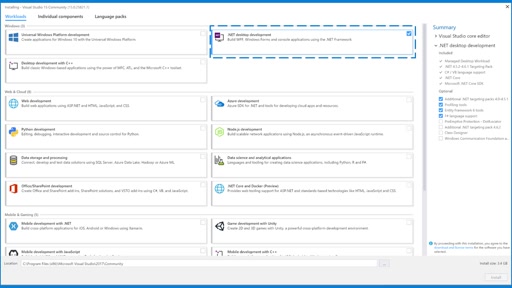
  • .NET desktop development
  • Visual Studio extension development+

Open VSIX Solution in Visual Studio 2017

All VSIX projects will require a major version one-way upgrade to Visual Studio 2017.+

The project file (for example *.csproj) will be updated:+

  • MinimumVisualStudioVersion – now set to 15.0
  • OldToolsVersion (if previously exists) – now set to 14.0+

Update the Microsoft.VSSDK.BuildTools NuGet package…

Make changes to the VSIX extension manifest….

If migrating from Preview 4 or Preview 5….

Update Debug settings for project…

Check that the extension builds correctly (as a VSIX v3)…

Check when all required prerequisites are installed….

Check when missing the required prerequisites…

Deciding on Components…

Finding Component IDs…

[Read the doc]

That will hopefully be enough to get you started. While it might be a little bit of a pain, there’s so much in this that we’ve all been asking for for years that it’s worth it.

Follow @CH9
Follow @coding4fun
Follow @gduncan411

Continue reading Visual Studio 2017 Extensions Update

Last Week on Channel 9: November 14th – November 20th, 2016

Last week was a great week for Channel 9. Not only did we have the PowerShell 10th Anniversary but also the awesome Connect(); 2016 event.

At the same time, our show, post and video authors were hard at work, with these 20 just a taste of what they released last week…

InkingJasonBourneCortanaSling

This Week on Windows: We’ve got exclusives to showcase – plus some unlikely heroes are coming to a Windows Store near you!

  • Inking with Maps App
  • Suicide Squad
  • Jason Bourne
  • Cortana Skills Update
  • SLING TV EXCLUSIVE
.NET Conf UY v2016 – Docker for People Who Think Docker Is This Weird Linux Thing That…

So people are talking about Docker. And Microsoft. IN THE SAME SENTENCE! And now it looks like you’ll have to figure out what it is and what it means to you. Just like Tupperware containers revolutionized how you view leftovers, Docker containers will change how we design and deploy our applications. In this session, we’ll have a quick overview of what Docker is and how it can be used. We’ll show examples of how it can be used today with a .NET application and what the future holds with container support in Windows Server 2016.

Enterprise Integration with Azure Logic Apps

Jon Fancey joins Scott to talk about Azure Logic Apps, iPaaS, and enterprise integration. With the new XML and B2B processing features in Logic Apps, Jon shows how you can quickly create cloud-scale processes for exchanging data securely with trading partners as well as validating and transforming XML data using an Integration Account.

The Progress of Web Apps

News of the Web’s death is greatly exaggerated: HTML, CSS, and JavaScript are more pervasive than ever, and have long since broken out of the browser and into standalone experiences with tools like Cordova, Electron, etc. The next generation of web apps is around the corner with Service Workers and the “Progressive Web App” experience, which enhance the innate advantages of the Web with “native”-like capabilities like offline and push…

DocumentDB Updates: Local Emulator and .NET Core Preview SDK

Kirill Gavrylyuk stops by Azure Friday to talk with Scott about the latest updates to Azure DocumentDB, including a free local development with emulator, DocumentDB .NET Core Preview SDK, and other improvements.

ASP.NET Monsters #79: Code Labs with Jon Galloway

If you’re looking for content that will walk you through, step-by-step, as you transition to ASP.NET Core MVC, you’re in for a treat.

In this episode of the Monsters, Jon Gallaway joins us live on set at Channel 9 studios to talk about the .NET Core community, the Community Standups and, of course, a series of free labs that you can dive into to embrace your inner Core and learn more about the future of MVC.

Michael Friis – Docker

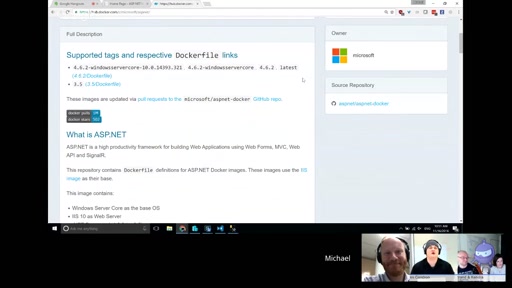
This week we speak with Michael Friis from Docker, and with Glenn Condron from the ASP.NET team, about containers, why they matter, what’s going on with .NET and Docker, and how to get started.

Some thoughts on planning the rest of your academic year

Student developers – It’s time to start thinking about your “end game” for the academic year! In this short video I share some thoughts on how to “Start at the end and work your way back”.

GoingNative 54: What’s New In Visual Studio 2017 RC and Introduction To Vcpkg

This episode of GoingNative comes to you in two parts:

First, Steve chats with Augustin Popa about the latest and greatest features in Visual Studio 2017 RC. Please try it out and let us know how you like it! For deeper dives on specific features, feel free to watch the Connect(); videos, or read about it on the Visual C++ Blog.

Visual Studio 2017: .NET Desktop Development

Visual Studio 2017: .NET Desktop Development – demo video

Visual Studio 2017: Universal Windows Platform Development

Visual Studio 2017: Universal Windows Platform Development – demo

Azure Data Lake GA!

This weeks episode of Data Exposed welcomes Saveen Reddy and Rajesh Dadhia to the show to make the important announcement that Azure Data Lake Store and Azure Data Lake Analytics is now Generally available!

Get Started with Visual Studio and .NET Core

This is a quick tutorial for getting set up with Visual Studio and .NET Core.

Tuesdays with Corey: Azure Active Directory Domain Services

Corey Sanders, Director of Program Management on the Microsoft Azure Compute team talks with Mahesh Unnikrishnan a Principal PM on the Azure AD team to talk about some cool new goodness of Azure Active Directory Domain Service in Azure.

PowerShell for Beginners

This video is part 1 of a multi-part series for learning PowerShell. This video covers the basics to get you up and running today.

Episode 129: Data & the Augmented Self with James Whittaker & Dona Sarkar

A very special live episode of the MS Dev Show with James Whittaker and Dona Sarkar, talking about data and more. I do want to warn you, there is some swearing in this episode, so please be conscious of that. Special thanks to Laura Butler for bringing her amazing cookies. Also special thanks to Concurrency for helping sponsor the event.

ASP.NET Monsters #78: Azure Functions with Chris Anderson

Azure Functions have just gone “GA” and are a great way for you to truly leverage the promise of the cloud and it’s ability to scale. In this episode of the Monsters, we have a special guest from the Functions team to break down some of the basics and help us wrap our heads around the Azure offering.

Hear about the future of AI, why OpenAI chose Azure as its primary cloud platform, and new Azure innovations

OpenAI chose Microsoft due to our deep learning research and ongoing commitment to AI along with the company’s open policy to research, Azure’s support for open source technologies and it’s unique combination of high performance computing, big data and intelligence capabilities such as Azure Batch, Azure Machine Learning and the Microsoft Cognitive Toolkit (formerly CNTK). To further support developers in building intelligent applications, we’re announcing the general availability of high performance compute offerings, Azure N-Series Virtual Machines, the preview of Azure Bot Service, and the general availability of Azure Functions.

Mitch Muenster – Being a dev with autism

Mitch Muenster is a Microsoft and Xamarin MVP, and he speaks with us this week about being a developer with autism.

85 – Soylent IoT Ships

It’s time for another LiveStream Episode of the Patch and Switch show!!! Two IT guys (Patch and Switch) who are talking about whatever comes up. Can you say Tangent! Ultimately it’s the Chat Room where everyone hangs out and contributes to the show, so make sure to load it up during the LiveStream! 

Follow @CH9
Follow @gduncan411

Continue reading Last Week on Channel 9: November 14th – November 20th, 2016

Next Week on Xbox – Upcoming Games, November 21 – 27

Welcome to Next Week on Xbox, where we cover the best games coming soon to Xbox One. Every week, the team at Xbox aims to deliver quality gaming content for you to enjoy on your favorite gaming console, and Xbox Wire will be here to let you know when you can play every new release hitting Xbox One. Whether you’re a fan of shooting, racing, or adventuring, there’s sure to be something for you to enjoy. So without further delay, let’s preview the new games coming soon with Next Week on Xbox! Darksiders: Warmastered Edition – November 22 Deceived by… Continue reading Next Week on Xbox – Upcoming Games, November 21 – 27

This Week on Xbox – November 18

We know you’re busy and might miss out on a day (or three) of the exciting things we’re talking about on Xbox Wire every week. If you’ve got a few minutes, we can help remedy that. We’ve pared down the week’s news into one easy-to-digest article for all things Xbox! Or, if you’d rather watch than read, you can feast your eyes on our weekly video show below. Either way, be sure to come back every Friday to find out what’s happening This Week on Xbox. Enjoy! Celebrating 15 Years of Xbox 15 years ago today, the name Xbox became… Continue reading This Week on Xbox – November 18

Give the Gift of Digital Codes for Xbox Design Lab Controllers

Can’t decide what to get the gamer in your life this holiday?  Let them design their own Xbox Wireless Controller with a Digital Code from Xbox Design Lab. Xbox Design Lab Digital Codes are available now and can be purchased exclusively at microsoftstore.com for $89.98 USD. Once you make your purchase, you’ll receive a Digital Code via email to share with your favorite gamer. Then, have them visit xbox.com/xboxdesignlab to design their own Xbox Wireless Controller and redeem their Digital Code at checkout. Each code includes custom engraving up to 16 characters. With more than 8 million color combinations to… Continue reading Give the Gift of Digital Codes for Xbox Design Lab Controllers