
This post has been republished via RSS; it originally appeared at: Microsoft Tech Community - Latest Blogs - .
Watchlists within Microsoft Sentinel are commonly used to work in conjunction with Analytics rules to achieve several use-cases that mostly focus on ruling in and ruling out alerts or incidents. As such, there is a need to update watchlists from time to time.
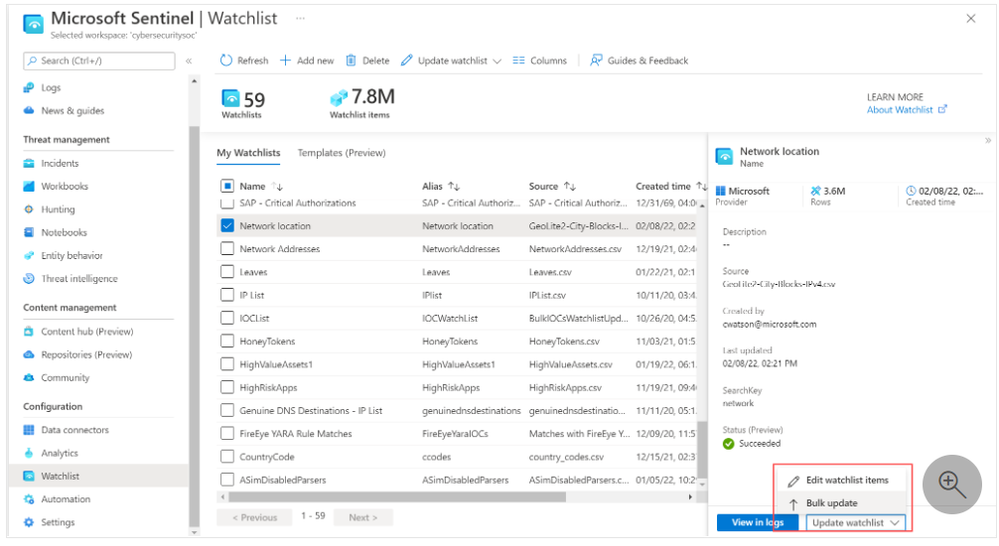
In cases where you have many items to add to a watchlist, use the bulk update. A bulk update of a watchlist appends items to an existing one and de-duplicates items in the watchlist where all the values in each column match.
Additionally, use bulk update when you want to append new columns to an existing watchlist.
The snapshot below shows where to locate this feature in the Watchlist page. Check out the detailed guidance on how to use it in the documentation.
Related documentation: