
This post has been republished via RSS; it originally appeared at: Windows Blog.
Your feedback matters – each week, we get thousands of feedback submissions that we triage, categorize and prioritize. We love the enthusiasm our customers and developers show daily for the Store and all its apps and games – and as product makers, we take that energy forward every day into our craft. Our ultimate goal is to build the best product for you. Today, we’re excited to recap some important quality updates to the Microsoft Store on Windows that we’ve rolled out over the last few months.Upping the ante on performance
 We have some meaningful improvements to share from our recent work on performance. Overall Store launch time has been reduced by 25%, and we've reduced the number of download hanging issues by 50%1. To make sure you see the latest improvements, ensure you have the latest Windows update. We are continually striving for improvements in this space because we know how influential it is to your Store experience.
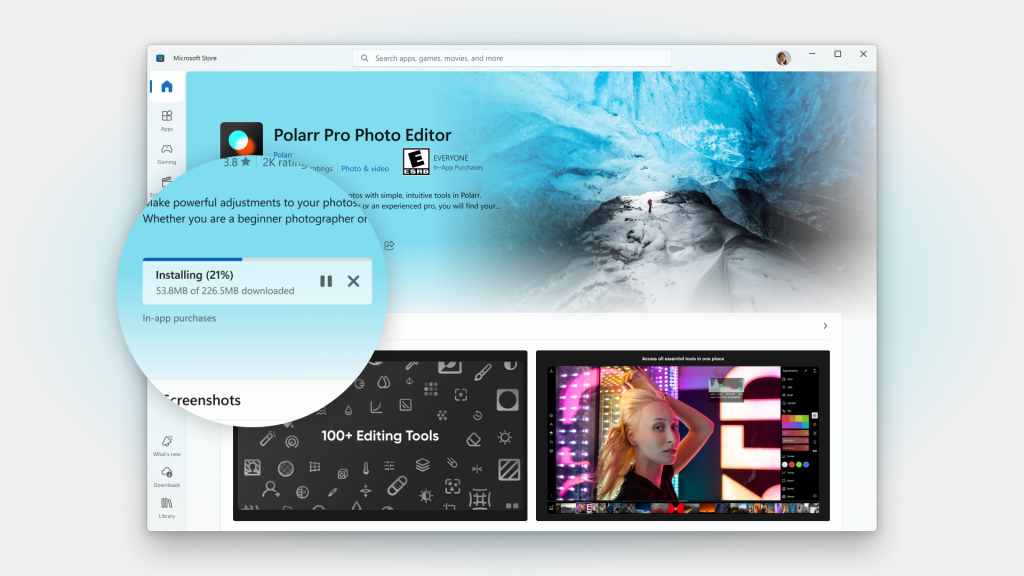 New download and install progress indicator – We’ve rebuilt the way we’re communicating download and install progress to you when you’re getting content from a Product Page. This is especially important when you’re downloading larger apps. You also can cancel an operation right from a Product Page if you’ve accidentally clicked download.
Improved browse and Product Page experiences
We’ve revamped a few places where we know customers go to find and acquire content.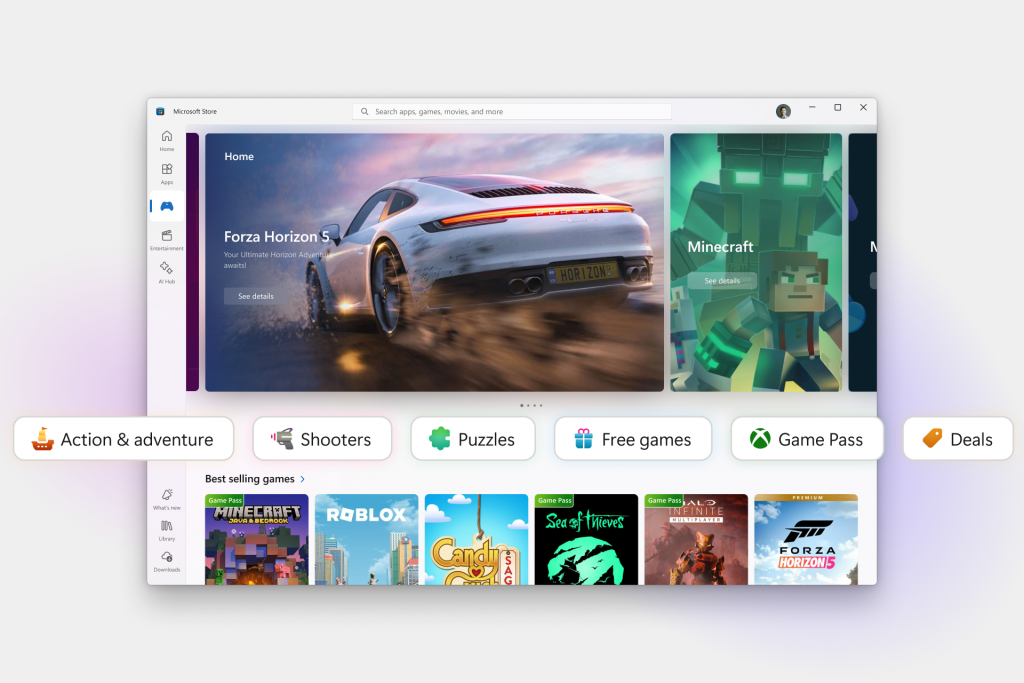 Apps and games categories – We’ve introduced new categorizations of apps and games to help you narrow down what you’re looking for. From the Gaming page, you can now navigate easily and quickly through different game categories such as strategy, role-playing, puzzle and simulation. For Apps, we are experimenting with different categories so please keep an eye out for the experience and give us feedback!
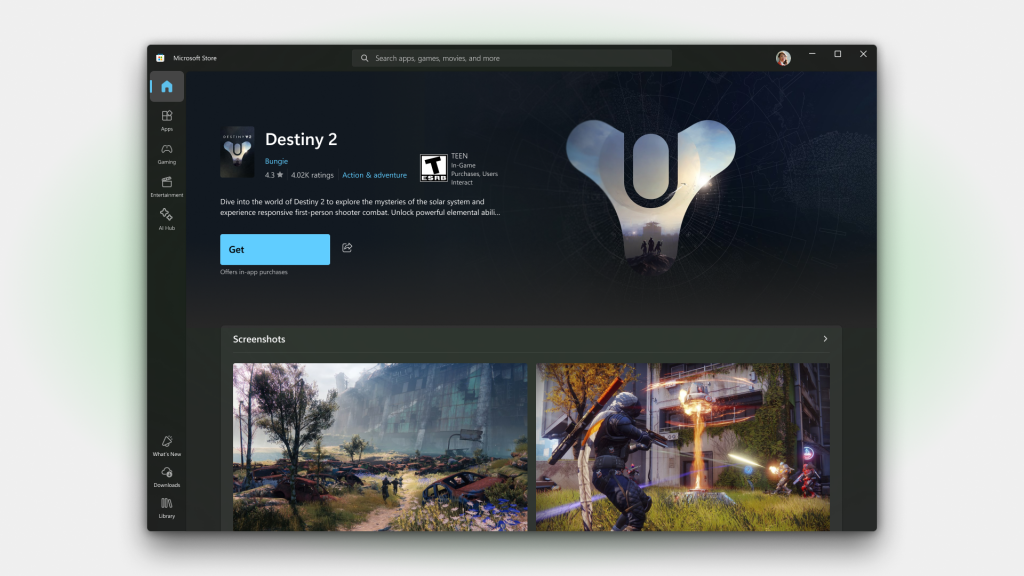 Immersive Product Pages – We’re introducing a new feature for Product Pages that adds an immersive experience to the top of the page. For apps and games that provide a trailer, you’ll be able to enjoy it as you navigate to their various pages. Meanwhile, products without trailers will use beautiful hero images provided by the developers. There’s also an option in the Store settings page to toggle video autoplay on or off.
New Library, Updates and downloads pages
We know this one’s a crowd favorite – we’ve introduced two new pages, Library, and Updates and downloads, to help you find and manage all your content.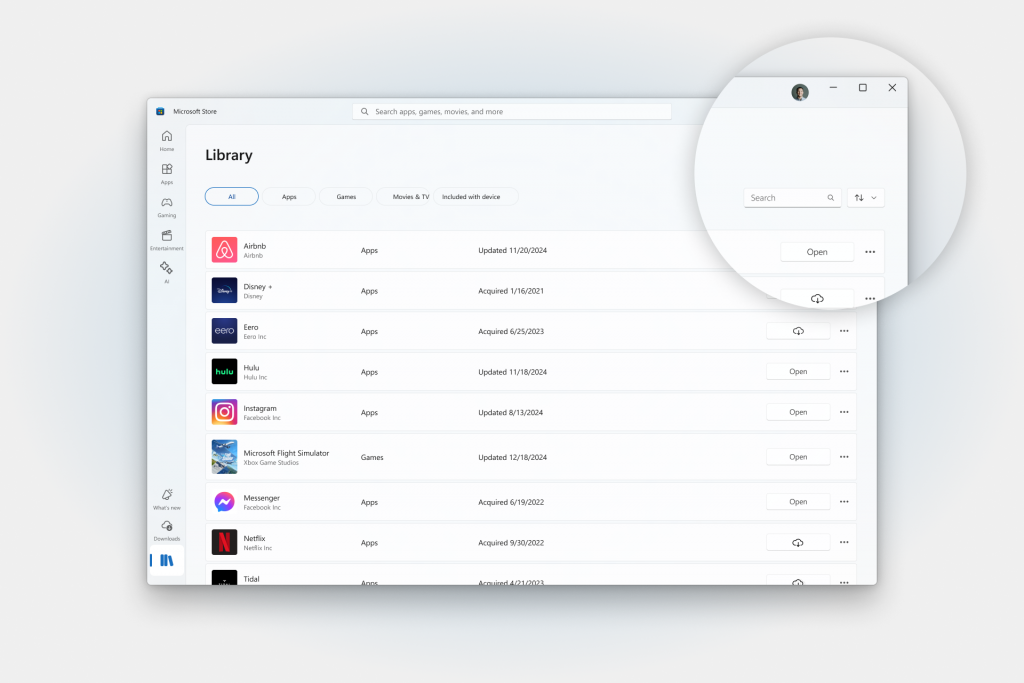 Redesigned Library page – We made two big changes here. First, we changed the default filters to show all the products you own, not just products that are installed (you can still toggle this filter if you wish). Second, we’ve added a search bar that will help you find the name or the publisher of products you’re looking for.
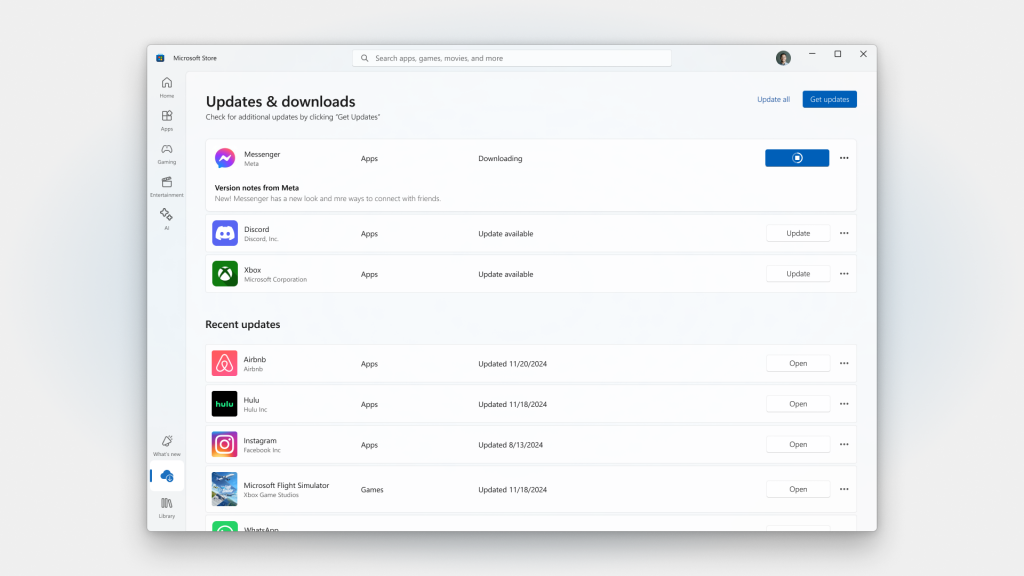 New Updates and downloads page – We are also moving the list of updates and downloads from the top section of the Library to its own dedicated page. This new page displays your list of active downloads or pending updates, and it shows the list of recent installs or updates. Version notes will also be displayed for a pending update or active download.