Devon Energy uses Microsoft 365 to maximize productivity in a commodity business

“The oil business is a tight market because we get paid the same amount for a barrel of oil as our competitors, and oil prices are depressed right now. This means that we have to operate very efficiently to make money. We’re adopting a cloud-first mindset and using Microsoft 365 Enterprise and Azure to help us do that.”

The post Devon Energy uses Microsoft 365 to maximize productivity in a commodity business appeared first on Office Blogs.

Continue reading Devon Energy uses Microsoft 365 to maximize productivity in a commodity business

Dream.Build.Play September Update | .GAME

Andrew Parsons shares the latest updates on the Dream.Build.Play game developer competition. Dream.Build.Play is open to all developers, working solo or in teams of up to seven. Create a Universal Windows Platform (UWP) game for one (or more) of the four categories by December 31, 2017 and you’ll get the chance to win cash prizes and show off your game to the world.

Episode Resources

Show Resources

Continue reading Dream.Build.Play September Update | .GAME

Defrag Tools #184 – JavaScript in WinDbg Preview | Defrag Tools

In this episode of Defrag Tools, we continue our series on the new WinDbg Preview. Andrew Richards is joined by Bill Messmer to talk about the updated scripting engine.Related Links:WinDbg Preview (download from Microsoft Store)Documentation … Continue reading Defrag Tools #184 – JavaScript in WinDbg Preview | Defrag Tools

New dotnet new

It’s Template week! All this week, we’re highlighting templates in all their glory.

Why?

Why not!

First off, we’re talking the new templating engine in .NET Core.

Jerrie Pelser has a great post on just that!

Tips for developing templates for dotnet new

When creating a new project with the dotnet new command, you are offered a list of templates you can use. These templates allow you to quickly bootstrap a new application according to a specific configuration. There are for example templates to create an MVC application, a Razor application, an API etc.

You can also install extra templates which have been created by other authors. You can discover these templates on the .NET Templating Wiki or on the dotnet core templates website.

You are also able to develop your own templates, either for internal use, or to make it available on NuGet for other people to take advantage of.

I recently developed templates that allow developers to bootstrap a new application that makes use of Auth0 for authentication.

Here are useful resources I came across, as well as some tips for issues I ran into.

Useful Resources

… [Nope, not going to steal his thunder, click through for this great resource list]

A few issues I ran into

Identity and Group Identity…
Customise parameter names …

Conclusion

I am very happy about the inclusion of the new .NET Templating engine. It is still a little limited in some senses, but it is a great step forward. I hope to see the community contribute a lot of new templates.

Next is a must read post from Sayed-Ibrahim-Hashimi that takes you from zero to template hero…

How to create your own templates for dotnet new

You can now create your own templates for dotnet new. Creating and installing your own templates is an experimental feature at this point, but one that we are seeing significant interest in and that deserves more of your feedback before we enable it for broad use with .NET Core 2.0. The version of dotnet new shipped with the .NET Core 1.0 SDK has a new command line parameter --install. This is an undocumented feature, and is not currently included in the help output.

You can try the new template experience if you have the new SDK or Visual Studio 2017 installed. If you didn’t you can right now.

The goal of this post is to connect with developers who are interested in creating templates. If you maintain a library or framework project on GitHub, then you are a great candidate to be a template author. There are lots of other cases too, where creating templates makes sense. If you can create a sample, you can create a template. It’s not hard at all.

In the last update for .NET Core, we have updated dotnet new. This new version of dotnet new is now built on top of the new Template Engine, which is a library that we are developing. To learn more about how to use dotnet new see the docs. In this article, we’ll show how to create some custom templates and then use them from dotnet new.

Closing

In this post, we have shown how you can get started with creating your own custom templates for dotnet new. We are still working on enabling the end user scenarios where templates are acquired and used. In this release, the --install switch is hidden because it’s currently in preview. The syntax of this command is likely to change. After installing templates, to reset your templates back to the default list you can run the command dotnet new --debug:reinit In the following section, you’ll find some links to existing resources. Please share your comments here and file issues as needed. You can also reach me on twitter @SayedIHashimi We’re very excited to see the awesome templates that the community creates. In addition to this blog, we may post dotnet new related posts to the .NET Web Developer Blog.

[Click through to read the entire post]

Next up is the current home of the community’s dotnet new template gallery, http://dotnetnew.azurewebsites.net/

Here’s a 30,000 foot few of all the templates (looks like allot doesn’t it? That’s because it is!)

 image

Here’s another list of available templates for dotnet new, from the official github repo;

image

Last, but not least, is that offical templating repo, https://github.com/dotnet/templating

Overview

This repository is the home for the .NET Core Template Engine. It contains the brains for dotnet new. When dotnet new is invoked, it will call the Template Engine to create the artifacts on disk. Template Engine is a library for manipulating streams, including operations to replace values, include/exclude regions and process if, else if, else and end if style statements.

Template Samples

We have created a dotnet template samples repo, which shows how you can use the Template Engine to create new templates. The samples are setup to be stand alone for specific examples. If you are in need of a sample, and it doesn’t exist please create an issue in the samples repo.

Info for dotnet new users

You can create new projects with dotnet new, this section will briefly describe that. For more info take a look at Announcing .NET Core Tools Updates in VS 2017 RC.

To get started let’s find out what options we have by executing dotnet new --help. The result is pasted in the block below.

What to expect when working with this repo

The instructions below enable a new command at the dotnet CLI, dotnet new3, that uses the bits and templates contained in this repo. Think of it as a “preview” version of dotnet new for trying out new switches, interactions and display styles before rolling them in to the product.

Commands executed against dotnet new3 won’t impact the behavior of dotnet new, Visual Studio for Mac, Visual Studio, nor any other environment.

Debugging

Debugging code requires your current dotnet new3 session to have its active build session configured to DEBUG, and a debugger from your application of choice to be attached to the current running dotnet new3 process. The steps required to accomplish this are outlined below.

Installing templates

Templates can be installed from packages in any NuGet feed, directories on the file system or ZIP type archives (zip, nupkg, vsix, etc.) To install a new template use the command:

… [Click through for the rest] …

Follow @CH9
Follow @coding4fun
Follow @gduncan411

Continue reading New dotnet new

Last Week on Channel 9: September 11th – September -17th, 2017

Just 16? Yep, but it’s an awesome 16! Here’s a select few, 16 as a matter of fact, shows, posts, episodes and videos from last week, here on Channel 9…

TWC9: Ice Cream Thursday, Edge Web Summit, Ultimate C# Tools, ARKit + HoloLens and much…

This week on Channel 9, Christina and Seth discuss the week’s top developer news, including;

On.NET Special Episode: NET Conf teaser with Beth Massi

In this episode of On.NET, we have a special guest, Beth Massi, who provides us with her insight around .NET Conf 2017 and what to expect – there will be a few surprises so please definitely tune in.

  • [00:20] Overview of .NET Conf by Beth, discussion around concurrent tracks with 40+ sessions over 3 days
  • [00:39] Day 1 keynote live stream from DEVIntersection Europe in Stockholm, Sweden, with Scott Hunter, Miguel de Icaza, and Mads Torgersen in front of a live audience…      
Azure Service Health

Dushyant Gill joins Scott Hanselman to talk about Azure Service Health. When issues in Azure services affect your business-critical resources, Azure Service Health notifies you and your teams, helps you understand the impacts of the issue, and keeps you updated as the issue is resolved. It also helps you prepare for planned maintenance and changes that could affect the availability of your resources….      

Constrained Temporal Variation in Speech

The characteristic durations of speech sounds vary considerably across languages, dialects, and even speakers of the same dialect. Analyses of increasingly large speech corpora reveal, however, that temporal variation in speech is highly constrained. Within a language/dialect, different speakers produce duration patterns — such as the distinction in length between tense and lax vowels — that are related by simple translation and scaling transformations. These transformations are …      

Fall Creators Update, Windows 10 themes, Inking, and more

This Week on Windows: we’re breaking down big Windows 10 Fall Creators Update news, we’re giving you tips to help you get the most out of Windows Inking and we’ve got one Ultimate Fall TV Guide! Specific topics covered in this week’s episode include:

  • Fall Creators Update announcement
  • New Windows 10 themes…      
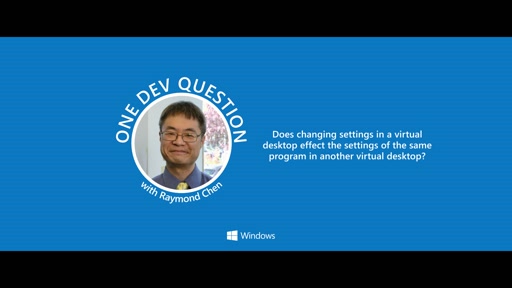
One Dev Question with Raymond Chen – How do program settings work in virtual desktops?

The ‘One Dev Question with Raymond Chen’ video series is part of the One Dev Minute channel.  In this series, longtime Microsoft developer and semi-official Windows historian Raymond Chen covers a series of questions about Microsoft Windows development, team culture, and/or history. …      

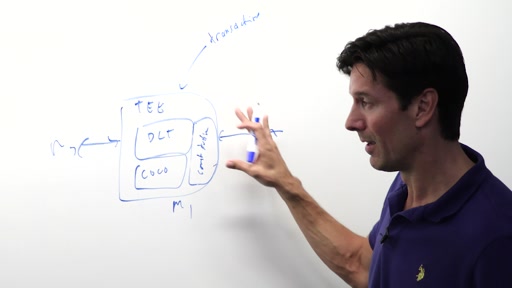
Inside Coco Framework, the Foundation of Blockchain for Enterprise with Mark Russinovich

In a previous video I had the opportunity to learn about the fundamentals of blockchain. In this entry I was able to spend more time with Mark discussing the Coco Framework. This frameworks is designed to ameliorate some of the challenges of working with blockchain in a business environment. Some of the main areas of improvement include:

  • Privacy…      
.NET Core 2.0 – Ready for library developers (with Sterling DB)

In this episode Dmitry Lyalin is joined by Jeremy Likness, a Cloud Developer Advocate at Microsoft and the coder behind Sterling DB, an open source project originally created for Silverlight data storage. Jeremy will cover what recently inspired him to convert this 2010 built data library and port it to run on .NET Core 2.0 thanks to advances in .NET Standard 2.0 that made it (finally) possible. He’ll show us exactly how easy it was to port, demo the code actually running against some sample solutions and discuss his views on .NET Core 2.0, and why we believe it’s finally ready to go big with open source project developers, enterprises and beyond….      

Snack Pack 20: Optimized Lists with DataTemplate Selectors in Xamarin.Forms

Welcome to The Xamarin Show Snack Pack Edition. A Snack Pack is bite sized episode that is focused on a specific topic and covered in just a few minutes. Today, we take a look at look at how to optimize complex cells in a ListView using the DataTemplate selector feature of Xamarin.Forms….      

Debug .NET Apps in Production with the Snapshot Debugger in Application Insights

Dan Taylor joins Scott Hanselman to talk about how the Snapshot Debugger in Application Insights can help you identify the root cause of issues in your production environment without having to repro them locally. Dan shows how by adding the Microsoft.ApplicationInsights.SnapshotCollector NuGet package to your app, you can get view full-process snapshots containing local variables the moment exceptions are thrown in production….      

Redesign for the cloud: Building a cloud-first network at Microsoft

Transitioning to the cloud? Adopting cloud technology requires that you support legacy applications as well as new application models for cloud computing—like platform as a service (PaaS), infrastructure as a service (IaaS), and software as a service (SaaS). Listen in as our experts talk about how we evaluated our network and redesigned our infrastructure to support the cloud-first, mobile-first culture at Microsoft.

These questions — and more — are discussed during this session:

  • [30:45] How do you distinguish between managed and unmanaged clients?…      
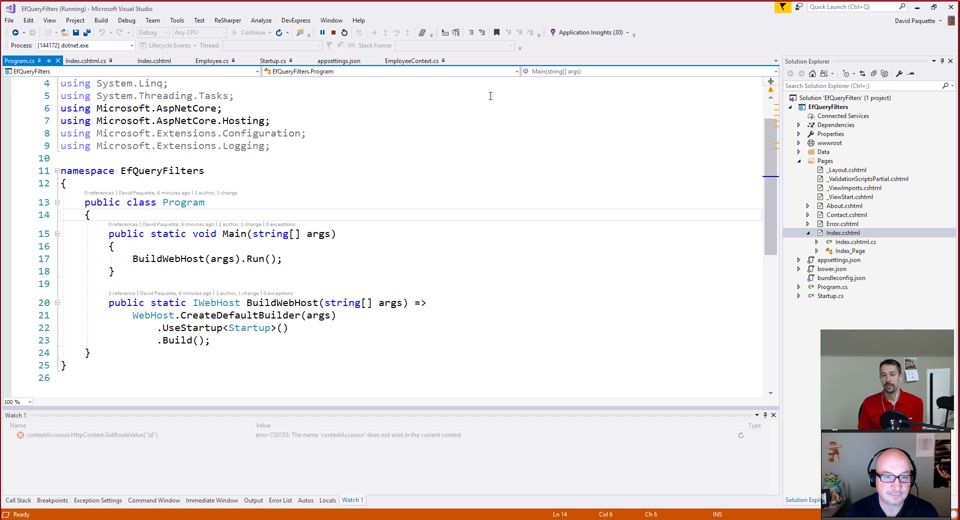
ASP.NET Monsters #106: Global Query Filters in Entity Framework Core 2.0

Entity Framework Core 2 was released recently. In today’s episode we explore a new feature called Global Query Filters. See how query filters can be applied globally to easily support features such as soft delete and even multi-tenancy. …      

Interview With Vidya Srinivasan, Engineer Singer and Speaker

Vidya Srinivasan is a Program Manager at Microsoft working on SharePoint and Office 365- the most popular content collaboration and productivity suite in the world. She holds a Bachelors and Master’s degree in Computer Science and loves to tinker with tech to hack-for-good. Vidya is a passionate advocate for diversity and inclusion in tech, and has been a part of the Grace Hopper Conference Leadership since 2014 chairing technical and career tracks. She has spoken about many technical and career topics in varied settings including panels, presentations, podcasts, keynotes and guest lectures….      

Azure Event Grid

Azure Event Grid is a fully-managed intelligent event routing service that allows for uniform event consumption using a publish-subscribe model. Learn how to use Azure Event Grid to react to relevant events across both Azure and non-Azure services in near-real time fashion. …      

Automatic Speech Recognition – An Overview

An overview of how Automatic Speech Recognition systems work and some of the challenges.      

Enterprise HDInsight Monitoring with Operations Management Suite

This week’s episode of Data Exposed Scott welcomes Ashish Thapliyal to the show. Ashish is a Senior PM on the HDInsight team and is in the studio today to discuss monitoring HDInsight for the enterprise with the Operations Management Suite.

Topics in today’s video:

[00:50]: Fundamental questions of monitoring and operating big data pipelines at scale…      

Follow @CH9
Follow @gduncan411

Continue reading Last Week on Channel 9: September 11th – September -17th, 2017

Next Week on Xbox: New Games for September 18 – 24

Welcome to the latest edition of Next Week on Xbox! Another batch of great games are dropping this coming week across a variety of genres, like the mash-up fighting game Marvel vs. Capcom: Infinite, the in-depth racing simulator Project CARS 2, and the ambitious sci-fi shooter Raiders of the Broken Planet. You can see the full list of titles below. Come back every Saturday for a preview of the newest games coming soon to Xbox! Continue reading Next Week on Xbox: New Games for September 18 – 24

Announcing Windows 10 Insider Preview Build 15252 for Mobile

Hello Windows Insiders! Today we are releasing Windows 10 Mobile Insider Preview Build 15252 to Insiders in the Fast ring. General changes, improvements, and fixes for Mobile This build includes all the improvements from KB4038788. In preparation for the release of the Windows 10 Fall Creators Update, the product version number has been updated to […] Continue reading Announcing Windows 10 Insider Preview Build 15252 for Mobile