
This post has been republished via RSS; it originally appeared at: Microsoft Tech Community - Latest Blogs - .
-
Observability - Monitor applications hosted inside the cluster
-
Traffic Splitting - Split Ingress Traffic to different versions of an API. Helps perform - Blue/Green Deployment, A/B Testing, Fault Injection
-
Distributed Tracing - Trace/Compare Service to Service calls with visualisation
-
Circuit Breaking
-
Complexity - More complex for simple requirements
-
Resource Overhead - Additional components needs additional resources - CPU, Memory
-
Additional Latency
It is based on envoy Proxy and injects this as a sidecar container into every Observable application which in-turn performs traffic management, routing policies, capturing metrics etc.
And what is meant by Observable - Users can choose which of the applications (namespaces) should be under the OSM scanner and OSM would monitor those leaving others untouched!
This article would show how this demo can be setup on an AKS cluster and can be used to observer, manage applications hosted inside the AKS cluster.
Please note that AKS now has an add-on for OSM.
Let us now build the demo step-by-step on an existing cluster.
Please refer to the Source Code for OSM which we would be referring in this article.
tenantId=""
subscriptionId=""
location="eastus"
clusterName="aks-train-mesh-cluster"
version=""
aksResourceGroup="aks-train-rg"
acrName="srvmeshacr"
osmFolderPath="<osm-folder-path-in-repo>"
Please fill up the values appropriately.
az aks get-credentials -g $aksResourceGroup --name $clusterName --admin --overwrite
osm install \
    --set=OpenServiceMesh.enablePermissiveTrafficPolicy=false \
    --set=OpenServiceMesh.deployPrometheus=true \
    --set=OpenServiceMesh.deployGrafana=true \
    --set=OpenServiceMesh.deployJaeger=true
kubectl create namespace bookstore
kubectl create namespace bookbuyer
kubectl create namespace bookthief
kubectl create namespace bookwarehouse
Inject OSM into the Namespaces
osm namespace add bookstore
osm namespace add bookbuyer
osm namespace add bookthief
osm namespace add bookwarehouse
Namespaces
osm metrics enable --namespace bookstore
osm metrics enable --namespace bookbuyer
osm metrics enable --namespace bookthief
osm metrics enable --namespace bookwarehouse
Import images from Docker Hub
#bookbuyer
az acr import -n $acrName --source docker.io/openservicemesh/bookbuyer:v0.11.1 -t bookbuyer:v0.11.1
#bookstore
az acr import -n $acrName --source docker.io/openservicemesh/bookstore:v0.11.1 -t bookstore:v0.11.1
#bookthief
az acr import -n $acrName --source docker.io/openservicemesh/bookthief:v0.11.1 -t bookthief:v0.11.1
#bookwarehouse
az acr import -n $acrName --source docker.io/openservicemesh/bookwarehouse:v0.11.1 -t bookwarehouse:v0.11.1
Deploy Applications
#Deploy bookbuyer
kubectl apply -f $osmfolderPath/yamls/bookbuyer.yaml
#Deploy bookstore
kubectl apply -f $osmfolderPath/yamls/bookstore.yaml
#Deploy bookthief
kubectl apply -f $osmfolderPath/yamls/bookthief.yaml
#Deploy bookwarehouse
kubectl apply -f $osmfolderPath/yamls/bookwarehouse.yaml
Check Deployments
kubectl get deployments -n bookbuyer
kubectl get deployments -n bookthief
kubectl get deployments -n bookstore
kubectl get deployments -n bookwarehouse
kubectl get pods -n bookbuyer
kubectl get pods -n bookthief
kubectl get pods -n bookstore
kubectl get pods -n bookwarehouse
kubectl get services -n bookstore
kubectl get services -n bookwarehouse
kubectl get endpoints -n bookstore
kubectl get endpoints -n bookwarehouse
Check Mesh configuration
kubectl get meshconfig osm-mesh-config -n osm-system -o yaml
How to expose services to the outside world?
This is primarily done using an Ingress controller.
Below steps would integrate OSM with Nginx Ingress controller so that all traffic from Ingress passes thru OSM and be monitored through the mesh
#Create namespace for Nginx Ingress
kubectl create ns osm-nginx-ingess-ns
#Install Nginx Ingress controller
helm repo add ingress-nginx https://kubernetes.github.io/ingress-nginx
helm repo update
helm install osm-nginx-ingess ingress-nginx/ingress-nginx --namespace osm-nginx-ingess-ns \
--set controller.nodeSelector.agentpool=agentpool \
--set controller.defaultBackend.nodeSelector.agentpool=agentpool
Ingress to route to BookStore Service
apiVersionnetworking.k8s.io/v1
kindIngress
metadata
nameosm-ingress
namespacebookstore
annotations
kubernetes.io/ingress.classnginx
nginx.ingress.kubernetes.io/rewrite-target/
spec
# tls:
# - hosts:
# - store.<dns-name>
# secretName: osm-tls-secret
rules
hoststore.<dns-name>
http
paths
path/store
pathTypePrefix
backend
service
namebookstore
port
number14001
---
kindIngressBackend
apiVersionpolicy.openservicemesh.io/v1alpha1
metadata
namebookstore-backend
namespacebookstore
spec
backends
namebookstore
port
number14001
protocolhttp
sources
kindService
namespaceosm-nginx-ingess-ns
nameosm-nginx-ingess-ingress-nginx-controller
-
BookThief
#Run BookThief as background service
./$osmFolderPath/osm/scripts/port-forward-bookthief-ui.sh &
#Open BookThief page in browser
http://localhost:8083/ -
BookBuyer
#Run BookBuyer as background service
./$osmFolderPath/osm/scripts/port-forward-bookbuyer-ui.sh &
#Open BookBuyer page in browser
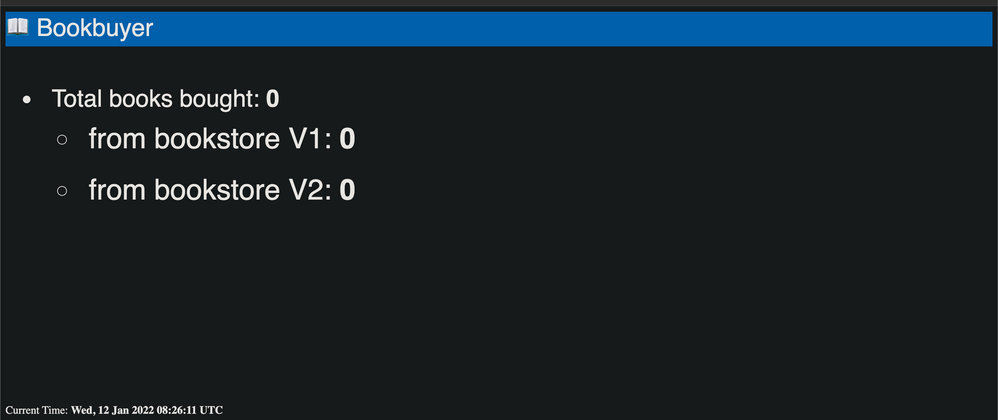
http://localhost:8080/ - Check that services are Not working
kindTrafficTarget
apiVersionaccess.smi-spec.io/v1alpha3
metadata
namebookstore
namespacebookstore
spec
destination
kindServiceAccount
namebookstore
namespacebookstore
rules
kindHTTPRouteGroup
namebookstore-service-routes
matches
buy-a-book
books-bought
sources
kindServiceAccount
namebookbuyer
namespacebookbuyer
kindServiceAccount
namebookthief
namespacebookthief
---
apiVersionspecs.smi-spec.io/v1alpha4
kindHTTPRouteGroup
metadata
namebookstore-service-routes
namespacebookstore
spec
matches
namebooks-bought
pathRegex/books-bought
methods
GET
headers
"user-agent": ".*-http-client/*.*"
"client-app": "bookbuyer"
namebuy-a-book
pathRegex".*a-book.*new"
methods
GET
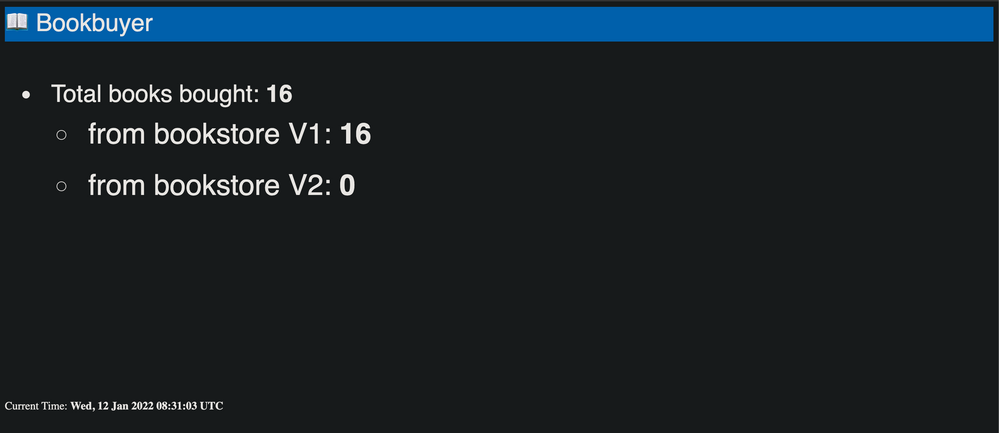
kubectl apply -f $osmFolderPath/yamls/traffic-access.yaml
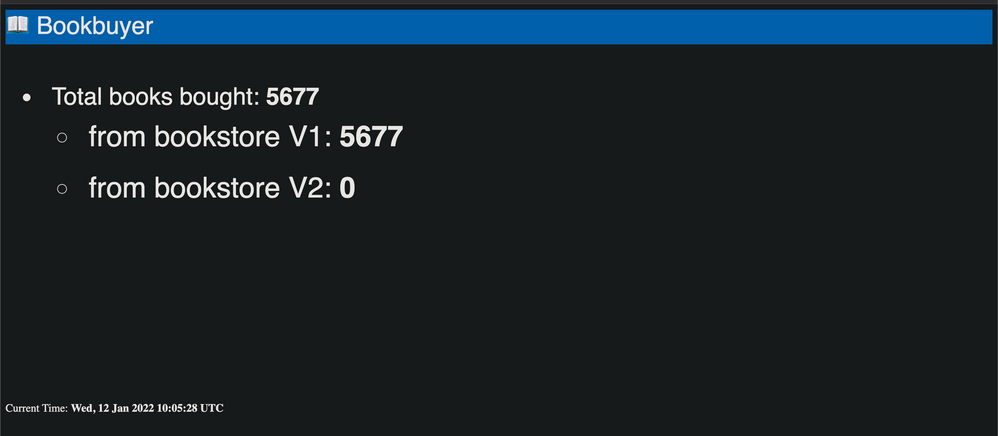
kubectl apply -f $osmFolderPath/yamls/bookstore-v2.yaml
-
BookStore service - 50/50
kubectl apply -f $osmFolderPath/yamls/traffic-split-50-50.yamlapiVersionsplit.smi-spec.io/v1alpha2
kindTrafficSplit
metadata
namebookstore-split
namespacebookstore
spec
servicebookstore.bookstore # <root-service>.<namespace>
backends
servicebookstore
weight50
servicebookstore-v2
weight50 -
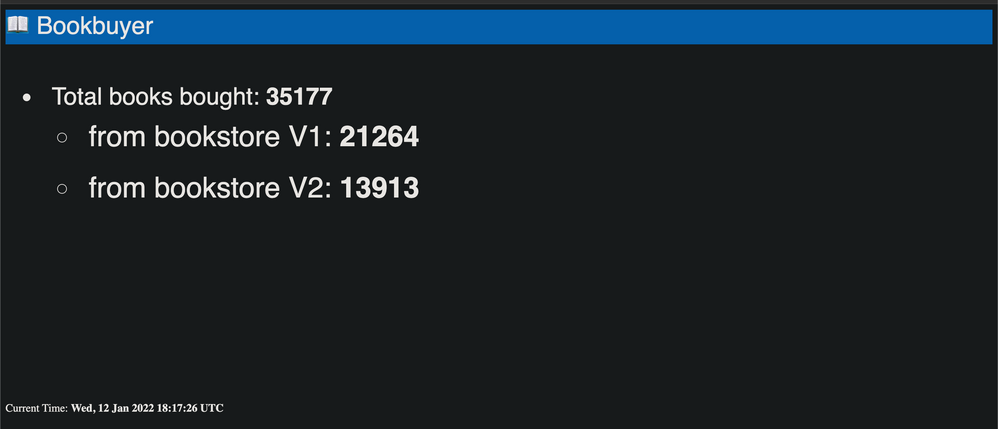
Split traffic between Two versions of BookStore service - 0/100
kubectl apply -f $osmFolderPath/yamls/traffic-split-v2.yamlapiVersionsplit.smi-spec.io/v1alpha2
kindTrafficSplit
metadata
namebookstore-split
namespacebookstore
spec
servicebookstore.bookstore # <root-service>.<namespace>
backends
servicebookstore
weight0
servicebookstore-v2
weight100
osm dashboard&
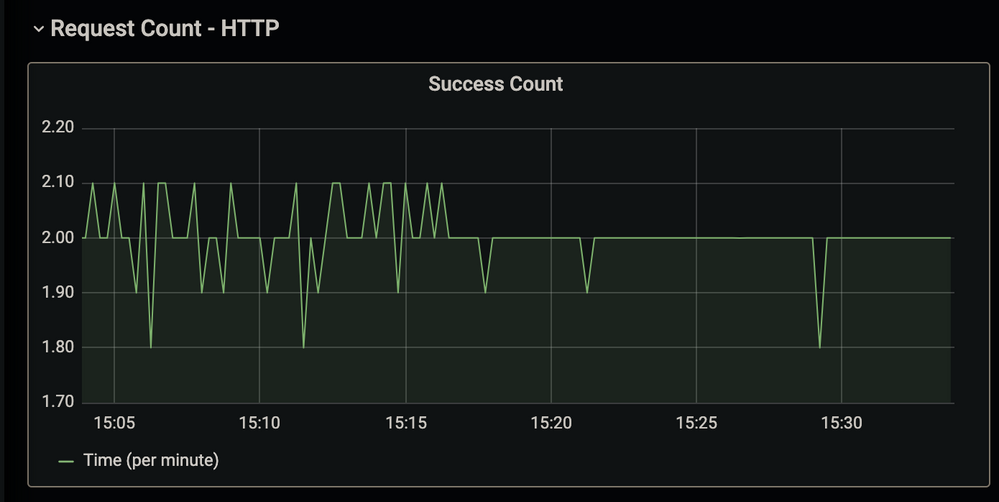
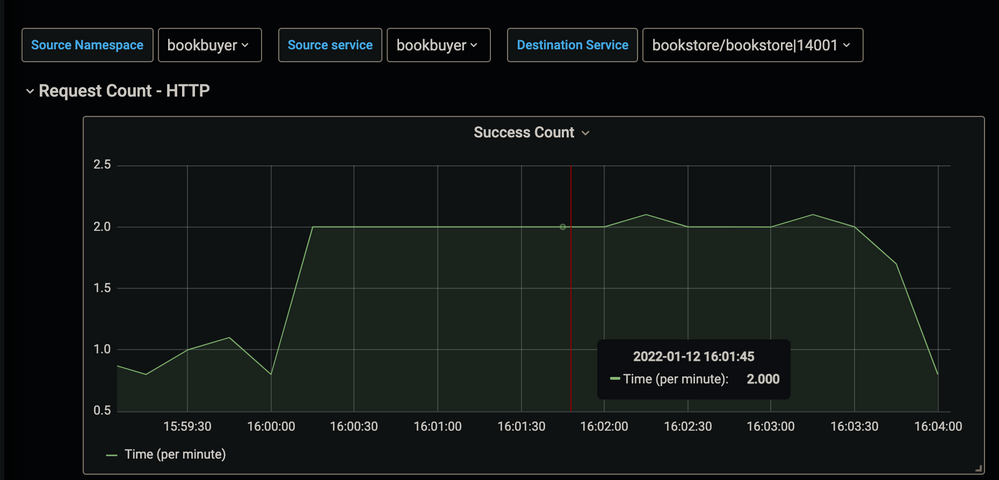
kubectl patch meshconfig osm-mesh-config -n osm-system -p '{"spec":{"observability":{"tracing":{"enable":true,"address": "jaeger.osm-system.svc.cluster.local","port":9411,"endpoint":"/api/v2/spans"}}}}' --type=merge
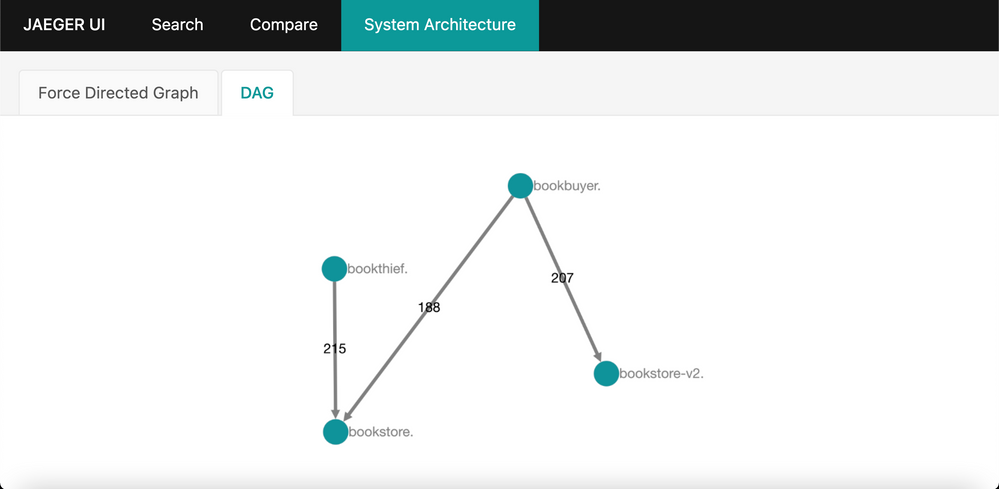
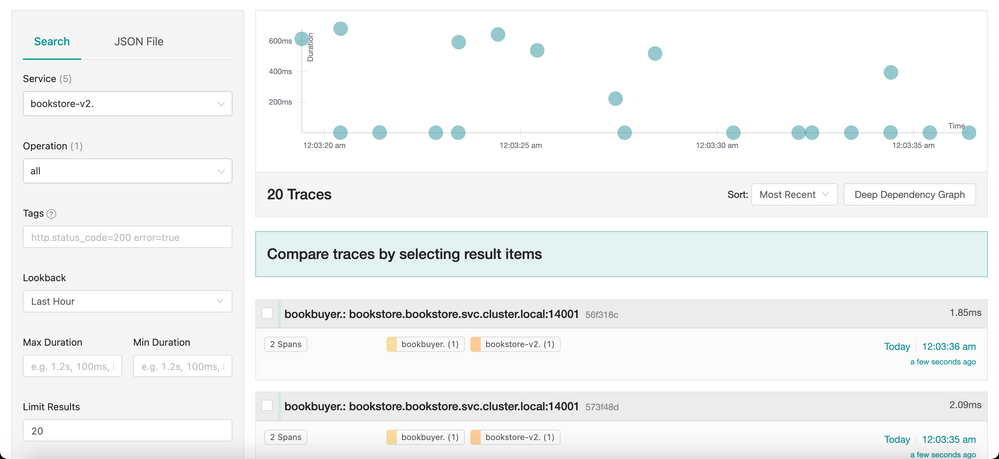
-
Egress is pods to the outside world is blocked by default
-
Deploy curl application
kubectl create ns curl
kubectl apply -f $osmFolderPath/yamls/curl.yaml
kubectl get pods -n curl -
Go Inside the curl pod
kubectl exec -it <curl-pod-name> -n curl -- sh
curl http://httpbin.org/get -
curl

kubectl patch meshconfig osm-mesh-config -n osm-system -p '{"spec":{"featureFlags":{"enableEgressPolicy":true}}}' --type=merge
-
Go Inside the curl pod again
kubectl exec -it <curl-pod-name> -n curl -- sh
curl http://httpbin.org/get
- curl
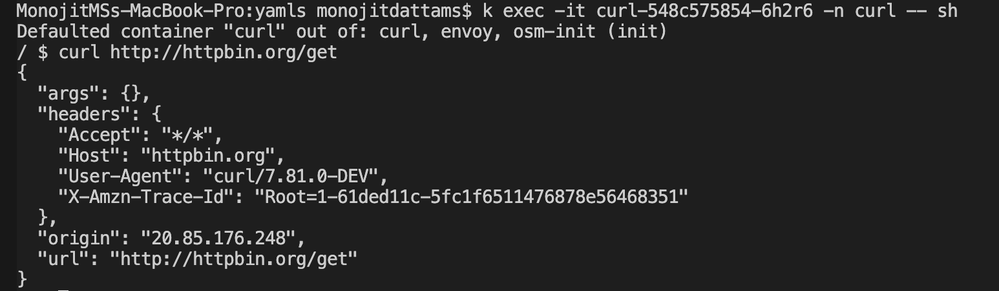
-
Namespaces under OSM scanner
osm ns list --mesh-name=osm -
Remove Namespaces from OSM scanner
osm namespace remove bookbuyer --mesh-name=osm
osm namespace remove bookstore --mesh-name=osm
osm namespace remove bookthief --mesh-name=osm
osm namespace remove bookwarehouse --mesh-name=osm -
Restart the deployment as Envoy sidecars are deleted
kubectl rollout restart deployment bookbuyer -n bookbuyer
kubectl rollout restart deployment bookstore -n bookstore
kubectl rollout restart deployment bookthief -n bookthief
kubectl rollout restart deployment bookwarehouse -n bookwarehouse -
UnInstall OSM from AKS cluster
osm uninstall --mesh-name=osm